
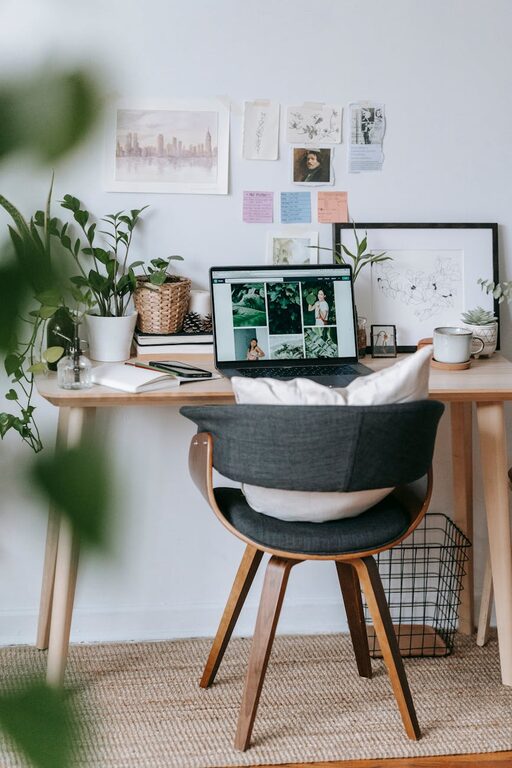
Creating a home office that feels both cozy and productive can make a big difference in your work routine. Whether you’re working remotely full-time or need a dedicated spot for occasional tasks, your workspace should inspire focus without sacrificing comfort.
Here are some tips to help you design a home office that supports your productivity while making you feel relaxed and at ease.
Choose the Right Location
Quiet and Private
Start by selecting a spot in your home where you can work without interruptions. Ideally, this space should be away from noise-heavy areas like the kitchen or living room. A quiet, private corner helps you concentrate better and signals to others that you’re working.
Natural Light
If possible, set up your office near a window. Natural light boosts mood and energy, which can improve your productivity. Position your desk to avoid glare on your computer screen but enjoy the benefit of daylight.
Invest in Comfortable Furniture
Ergonomic Chair and Desk
Comfortable furniture is essential. Choose an ergonomic chair with proper lumbar support to protect your back during long hours. Your desk should have enough space for your computer, notebooks, and other tools, and at a height that keeps your wrists and arms relaxed.
Add Soft Textures
To make your space cozy, consider adding a soft rug, cushions, or a warm throw blanket. These elements make the room feel inviting and can help reduce stress throughout the day.
Organize Your Space Efficiently
Declutter Regularly
Clutter can distract and reduce productivity. Keep only the items you need on your desk and store the rest elsewhere. Regularly tidy your workspace so it stays clean and inviting.
Use Storage Solutions
Invest in shelves, drawers, or organizers to keep files, stationery, and other supplies neatly arranged. Labeling boxes or folders also makes it easier to find things quickly.
Personalize Your Workspace
Add Plants
Indoor plants can add life to your office and improve air quality. Even a small plant on your desk can boost your mood and make the space feel more welcoming.
Decorate Mindfully
Choose a few personal items or artwork that inspire you without cluttering the space. Inspirational quotes, photos, or colorful prints can provide motivation throughout the day.
Optimize Lighting for Comfort and Focus
Layered Lighting
Combine natural light with task lighting and ambient lighting. A desk lamp with adjustable brightness helps reduce eye strain during focused work, especially on cloudy days or evenings.
Avoid Harsh Overhead Lights
Soft, warm lighting creates a comfortable atmosphere. Avoid bright, flickering overhead lights that can cause headaches or fatigue.
Set Up Technology Thoughtfully
Reliable Equipment
Use a good-quality computer, monitor, keyboard, and mouse to minimize frustration. Test your internet connection and ensure it’s stable for video calls and online work.
Manage Cables
Keep your cables organized and out of sight, using clips or sleeves. A tidy cable setup reduces distractions and helps maintain a clean look.
Maintain a Healthy Routine
Take Breaks
Even in a cozy space, it’s important to step away regularly. Use breaks to stretch, hydrate, or simply relax your eyes from screen time.
Create Boundaries
Set clear start and end times for work to maintain balance. When your workday ends, shut down your computer and tidy your desk to signal it’s time to switch off.
—
By thoughtfully designing your home office with these tips, you can create a space that feels welcoming and helps you stay productive. The right combination of comfort, organization, and personal touches can make working from home a more enjoyable and effective experience.