
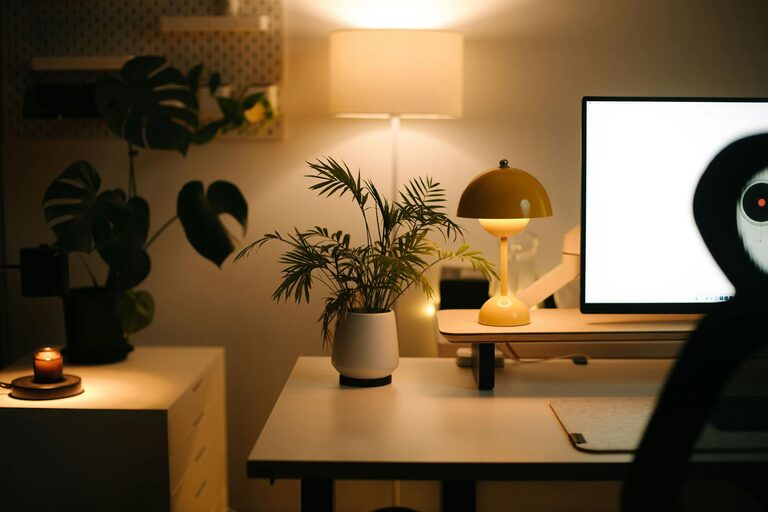
Creating a cozy and productive home office space can make a significant difference in your work-from-home routine. A well-designed workspace not only helps you focus but also supports your overall well-being throughout the day. Here are some practical tips to help you design a home office that balances comfort and efficiency.
Choose the Right Location
Selecting the perfect spot for your home office is the first step. Ideally, choose a quiet area with minimal distractions. If possible, find a space with natural light, as it can improve mood and energy levels. Avoid high-traffic zones of your home to reduce noise and interruptions.
If space is limited, consider multifunctional areas or corners that can be dedicated to work during business hours. Using room dividers or curtains can help create boundaries, signaling a transition from home life to work mode.
Invest in Comfortable and Functional Furniture
Your choice of furniture will directly impact your comfort and productivity. Here are some key pieces to consider:
– Ergonomic chair: A supportive chair reduces back and neck strain, especially during long hours of sitting.
– Desk with adequate space: Ensure your desk is large enough to hold your computer, documents, and other essential items without feeling cluttered.
– Adjustable options: Height-adjustable desks or monitors can help maintain good posture and reduce fatigue.
Don’t forget to include storage solutions such as shelves, filing cabinets, or drawers to keep documents and supplies organized and within reach.
Optimize Lighting
Good lighting is essential in a home office. Aim for a combination of natural and artificial light:
– Natural light: Position your desk near a window to take advantage of daylight while avoiding glare on your screen.
– Task lighting: Use desk lamps or adjustable lights to focus on specific tasks, reducing eye strain.
– Ambient lighting: Soft overhead lighting creates a balanced environment and prevents harsh shadows.
Consider bulbs with a color temperature around 4000K-5000K for a bright, neutral light that supports focus.
Personalize Your Space
Adding personal touches can make your workspace feel inviting and motivating. Consider these ideas:
– Plants: Indoor plants improve air quality and create a calming atmosphere.
– Artwork: Displaying art or inspiring images adds character without being distracting.
– Colors: Use soothing or neutral colors to promote concentration; avoid overly bright or intense shades.
Keep personalization balanced to maintain professionalism and prevent clutter.
Organize for Efficiency
An organized workspace helps you find what you need quickly and reduces stress. Here’s how to keep your home office tidy:
– Declutter regularly: Set a schedule to clear unnecessary items and papers.
– Use storage bins and trays: Group similar items together to stay organized.
– Label files and containers: Clear labels make retrieval easier.
– Cable management: Use clips or sleeves to tidy up cords and prevent tangling.
Adopting good organizational habits can streamline your workflow and save time.
Manage Noise Levels
Noise can be a significant distraction. Here are strategies to minimize sound disruptions:
– Noise-canceling headphones: Great for blocking background noise during focused work.
– Soft furnishings: Rugs, curtains, and cushions can absorb sound, helping reduce echo.
– White noise machines or apps: Ambient sounds can mask distracting noises without being intrusive.
– Communicate boundaries: Let housemates know your working hours to encourage quiet times.
Implement these tips to create a zone that fosters concentration.
Establish a Routine and Boundaries
Creating a dedicated workspace is only part of the equation; maintaining healthy work habits is equally important:
– Set specific working hours: Stick to a schedule to separate work from personal life.
– Take breaks: Short breaks improve focus and prevent burnout.
– Keep work in the office: When the workday ends, avoid working in your cozy spot to maintain balance.
Building these boundaries will help improve productivity and overall well-being.
Utilize Technology Wisely
Make your home office tech-friendly but avoid unnecessary distractions:
– Reliable internet connection: Essential for smooth video calls and cloud access.
– Organized desktop and files: Use folders and apps to keep digital work in order.
– Minimal apps running: Limit open programs to only those you need.
– Ergonomic peripherals: Consider comfortable keyboards and mice to enhance ease of use.
By optimizing your technology setup, you support an efficient workflow.
—
Creating a cozy and productive home office ultimately comes down to balancing comfort with functionality. By thoughtfully choosing your space, furniture, lighting, and organization methods, you can set up an environment tailored to your work style. Personal touches and good habits will help maintain motivation and focus in your home workspace. Whether you’re working full-time from home or need a dedicated area for occasional tasks, these tips can help you build a space where productivity and comfort go hand in hand.