
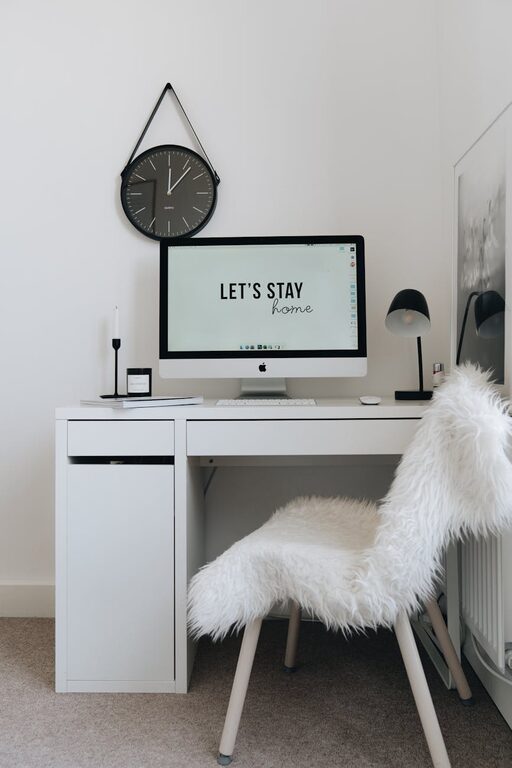
Creating a home office that balances comfort with functionality is essential for anyone working remotely or needing a dedicated space to focus. A cozy and well-organized workspace can boost productivity, reduce stress, and make working from home more enjoyable. In this post, we’ll explore practical tips to help you design a home office that fits your needs and style.
Choose the Right Location
Consider Natural Light
Position your desk near a window if possible. Natural light improves mood and reduces eye strain. Avoid glare on your computer screen by placing your desk perpendicular to the window rather than directly in front of or behind it.
Minimize Distractions
Select a quiet area where you won’t be easily interrupted by household noise or foot traffic. If space is limited, consider using room dividers or noise-cancelling headphones to create a focused environment.
Invest in Comfortable and Ergonomic Furniture
Find an Ergonomic Chair
A supportive chair with adjustable height and lumbar support is key for long working hours. Comfort prevents back pain and helps maintain good posture.
Select a Suitable Desk
Choose a desk that fits your space and accommodates your equipment. Adjustable desks, including standing options, can enhance comfort and reduce fatigue.
Organize with Smart Storage Solutions
Use Shelves and Cabinets
Open shelves keep frequently used items within reach, while closed cabinets help hide clutter, keeping the room tidy and serene.
Incorporate Drawer Organizers
Keep small office supplies organized with drawer dividers or containers. This setup helps prevent distractions caused by clutter.
Personalize Your Space for Comfort and Inspiration
Add Soft Textiles
Incorporate rugs, cushions, and curtains to add warmth and texture. These elements make your office feel cozy and welcoming.
Include Plants
Indoor plants can improve air quality and add a touch of nature, creating a calming atmosphere.
Display Inspirational Items
Photos, artwork, or motivational quotes can boost creativity and mood. Choose items that inspire without overwhelming your workspace.
Optimize Lighting
Layer Your Lighting
Combine ambient, task, and accent lighting. Use a desk lamp with adjustable brightness for focused work and softer overhead lights to reduce eye strain.
Select Warm Light Bulbs
Opt for bulbs that emit warm light to create a relaxing mood, especially for early morning or late evening work sessions.
Manage Cables and Technology Efficiently
Use Cable Organizers
Keep cords neat and out of sight with cable clips, sleeves, or boxes. A clutter-free desk helps maintain focus and safety.
Choose Wireless Devices
Consider a wireless keyboard, mouse, and headphones to reduce cable clutter.
Create a Routine-Friendly Setup
Designate Zones
Arrange your space so that different activities—working, reading, video calls—have their own areas. This separation helps maintain work-life balance.
Keep Essentials Handy
Place frequently used items within arm’s reach to streamline your workflow.
Maintain a Clean and Airy Environment
Regularly Declutter
Set aside time each week to tidy up your workspace. A clear space supports a clear mind.
Improve Air Circulation
Open windows when possible or use a fan or air purifier to keep the environment fresh.
—
By thoughtfully designing your home office with these tips, you can create a space that promotes productivity while feeling inviting and comfortable. Remember, your workspace should reflect your needs and preferences, so feel free to adjust these suggestions to create the perfect environment for you.